Working with Azure SQL Databases is handy. Just, how can I copy data from one Azure SQL database to another database? See the best practice here.
I had such a use case. I needed to copy a table (all rows) from a source database to a destination database with SQL Management Studio. The table did not have much data, but extensive data with varchar(MAX) fields containing HTML and Base64 encoded images. So, a copy in the edit mode via clipboard did not work.

In my sample, I needed to copy all rows from table "Newsletters" in source database "governance365" to the destination database "governancetoolkit365". Table "Newsletters" already existed in the destination database (the table creation this could be scripted as well…).
So, this method is a little bit hidden. Here´s the quick How to copy data from one database to another database in Azure SQL Databases with SQL Management Studio.
- Right click the source database and select "Generate Scripts…"

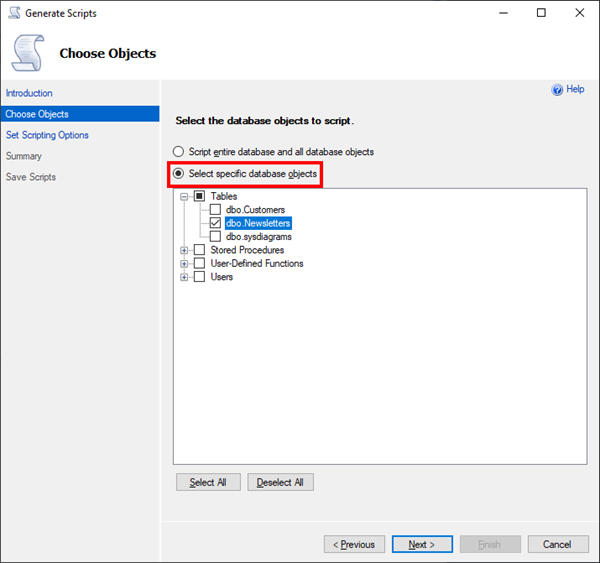
- Click "Next" and skip the introduction. Click "Select specific database objects" and select the desired table "Newsletters" and "Next".

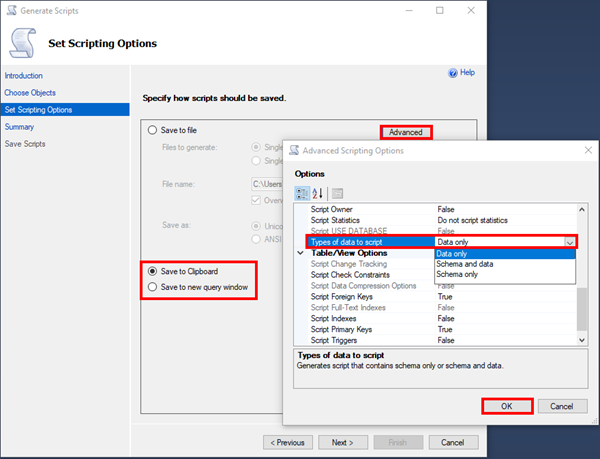
- Now comes the important, "Advanced" part: Generate a script by selecting the output to a file, to the clipboard or to a new query window. Click on "Advanced" and in the option "Types of data to script", select "Data only" as shown here. Click "OK".

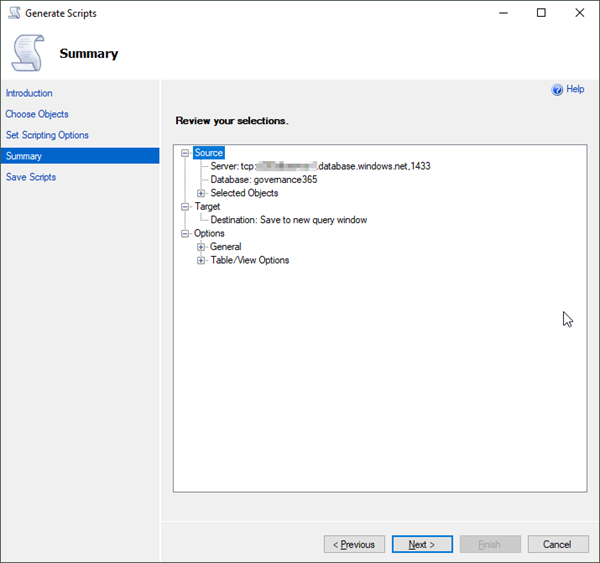
Select the "Types of data to script" as needed… - Now confirm the script generation with "Next".

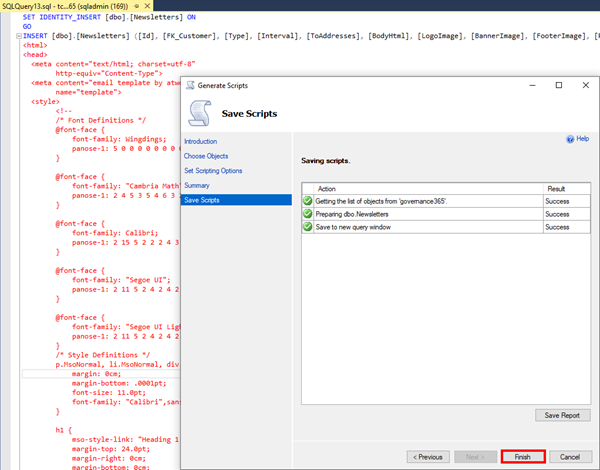
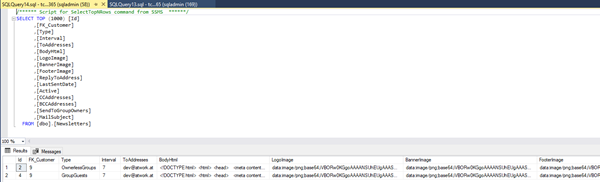
- The script has been generated. Click "Finish" to close the wizard. In my sample, I got the generated script in a new query window in the background as shown here.

- Open a new query window in the destination database.
- Then, copy the generated script into the destination query windows and execute it (F5). Done!
- Check the result. All data should be available in the destination database in the table.


I hope this quick step-by-step article helps to quickly copy data between multiple Azure SQL databases.